Turn rough requests into clear AI prompts.
Typed a quick request into ChatGPT, Claude, Gemini, Perplexity, Cursor, or any AI chat box? Select it and press ⌃⌥I. MacWriteBuddy rewrites it in place as a clear, specific prompt, and never answers it for you.
Version 1.2.2macOS 14 Sonoma or laterApple silicon & IntelHow to install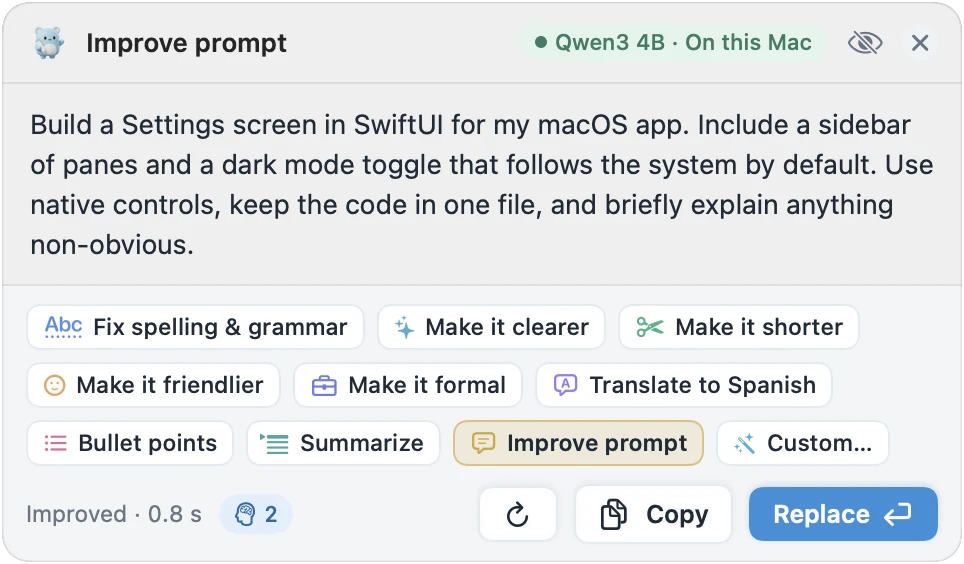
Highlights
- Spells out what you want, the context, any limits, and the answer’s format
- Keeps your intent, your details, and your language
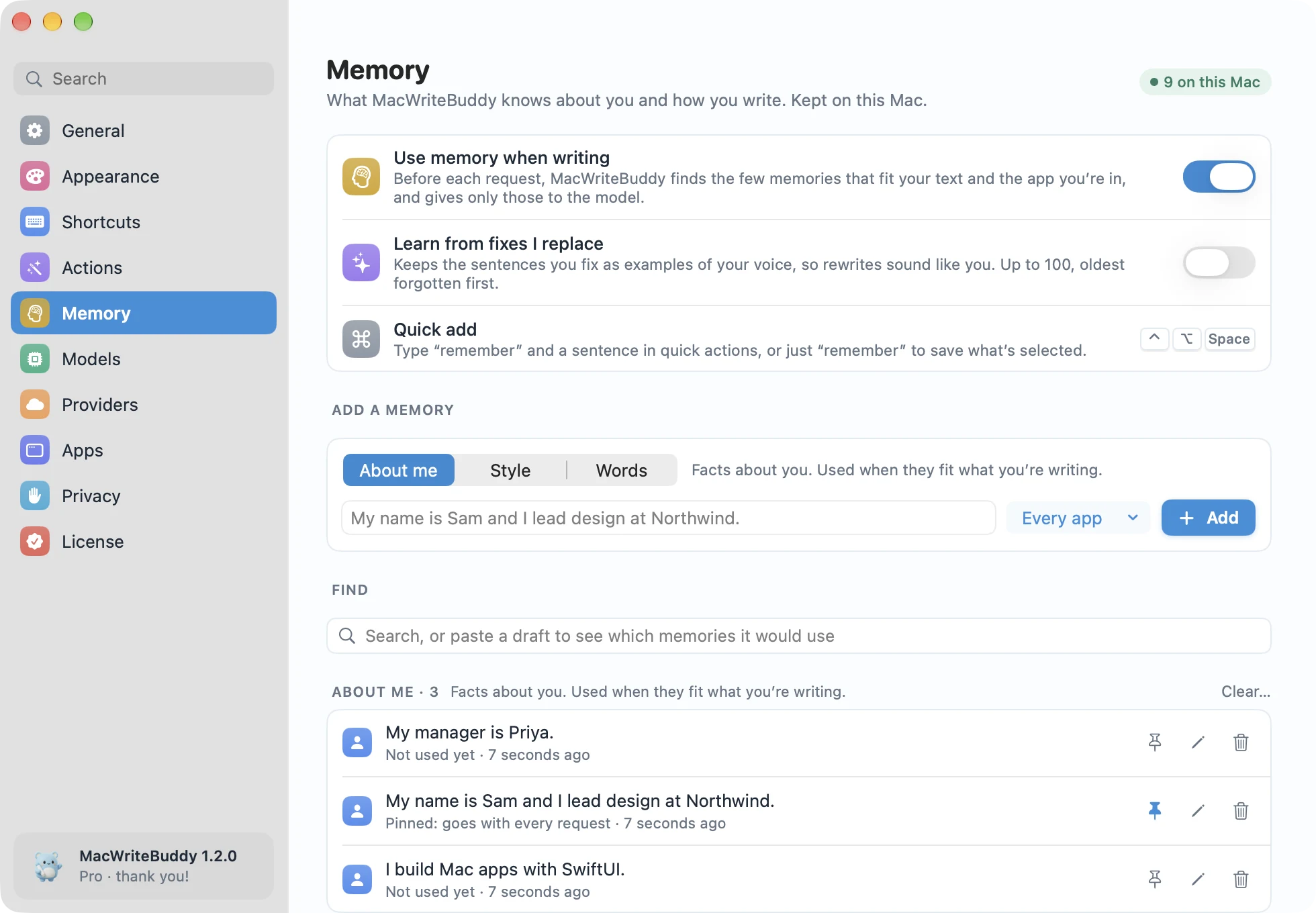
- Adds context from Memory when it helps, like “I’m an iOS developer”
- First in quick actions whenever you’re in an AI app
What a better prompt spells out
Improve prompt adds what the AI needs to do a good job: what you want, the context that matters, any limits, and the format of the answer. It keeps your intent, your details, and your language.
- BEFORE
- make me a swiftui settings screen dark mode
- AFTER IMPROVE PROMPT
- Build a Settings screen in SwiftUI for my macOS app. Include a sidebar of panes and a dark mode toggle that follows the system by default. Use native controls, keep the code in one file, and briefly explain anything non-obvious.
In place, in any AI app
It works in ChatGPT, Claude, Gemini, Perplexity, Cursor, or any AI chat box on your Mac, in the app or in the browser. Whenever you’re in an AI app, Improve prompt is first in quick actions (⌃⌥Space).
It never answers for you
Improve prompt only rewrites your request. It never answers it, so you stay in charge of what you send, and to which AI.
Context from Memory
Tell MacWriteBuddy something once, like “I’m an iOS developer”, and Improve prompt adds that context when it helps. The preview says how many memories it used.
Part of MacWriteBuddy Pro
Improve prompt, Summarize, every rewrite action, and Memory come with Pro, a single payment of $39 (usually $79). Fixing spelling and grammar stays free.
Which AI apps does Improve prompt work with?
Any app where you can select text: ChatGPT, Claude, Gemini, Perplexity, Cursor, and other AI chat boxes, whether in a native app or in the browser.
How does Improve prompt work?
Type a rough request into ChatGPT, Claude, Gemini, Perplexity, Cursor, or any AI chat box, select it, and press ⌃⌥I. MacWriteBuddy rewrites it in place as a clear, specific prompt: what you want, the context that matters, any constraints, and the format of the answer. It keeps your intent, your details, and your language, and it never answers the request itself. When you’re in an AI app, Improve prompt is also first in quick actions (⌃⌥Space).
Does my memory get sent to my AI provider?
Only the few memories that fit. Before each request, MacWriteBuddy searches your memory on your Mac and picks the ones that match your text and the app you’re in, plus your style preferences and anything you’ve pinned. With a cloud provider, just those go along with your text, straight to your provider with your key. With a local model, nothing leaves your Mac. MacWriteBuddy’s servers never receive your memory or your writing.
How do I unlock Pro?
Buy Pro from the pricing section or from the app (Settings › License). Your license key arrives by email; paste it into Settings › License and click Activate. About once a day the app checks the key with our license server, which only ever sees the key, a random id for your Mac, its name, and the app and macOS versions. Never your writing.
Fewer typos.
A lot more you.
Write freely. Your buddy will tidy up when you press the keys.
Download for MacVersion 1.2.2macOS 14 Sonoma or laterApple silicon & IntelHow to install