A grammar checker for Mac that works in every app.
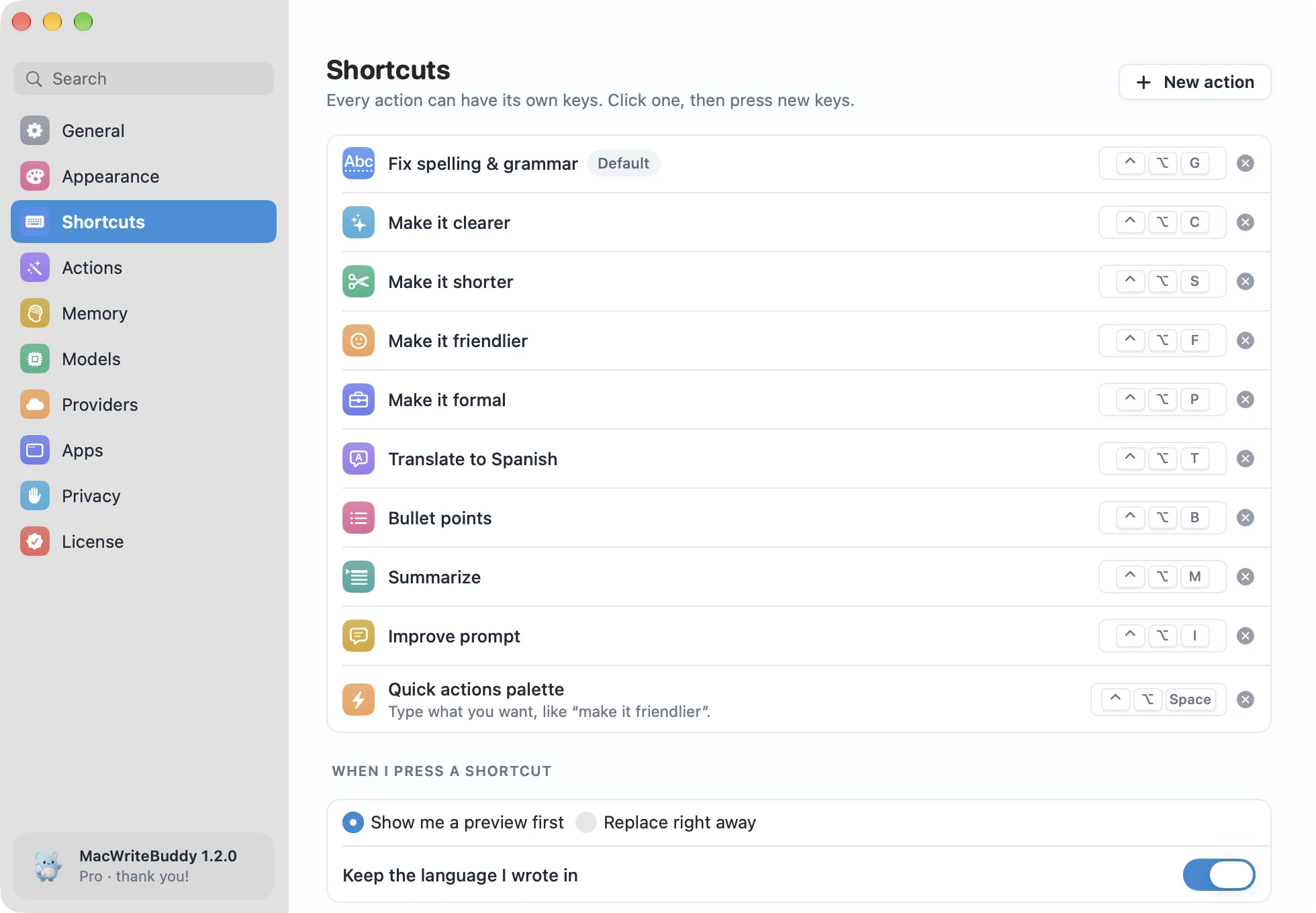
Select a sentence anywhere you type and press ⌃⌥G. MacWriteBuddy fixes the spelling, grammar, and punctuation, keeps your voice, and puts the clean version right back where it was. Fixing spelling and grammar is free, forever.
Version 1.2.2macOS 14 Sonoma or laterApple silicon & IntelHow to install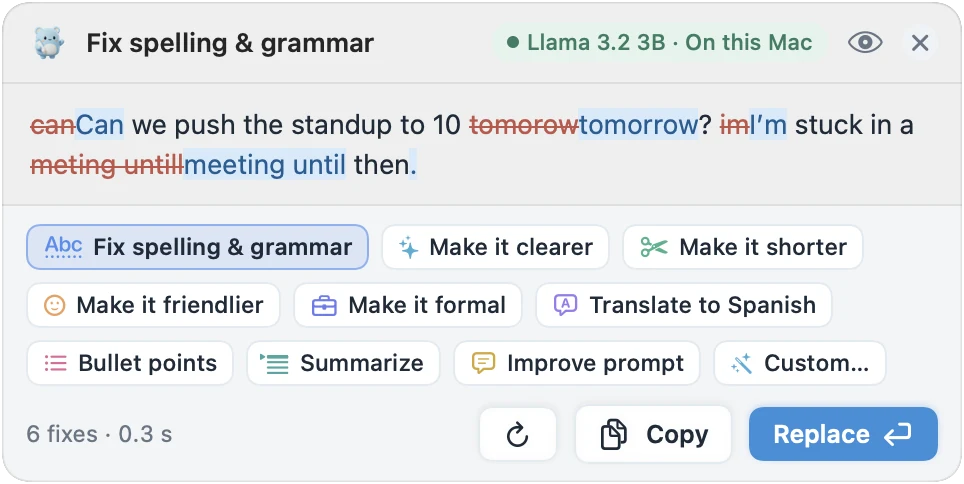
Highlights
- Spelling, grammar, punctuation, and capitals in one go
- Keeps your tone, your language, and your line breaks
- Preview every change first, or replace instantly
- Changed your mind? ⌘Z brings your words back
Fixed right where you typed it
No copying into a chatbot and pasting back. Select some text in Mail, Slack, Notes, Messages, Pages, your browser, or your code editor, press your shortcut, and the fixed version replaces it. Fix just the words you select, or the whole field.
- BEFORE
- their going to the meting tmrw
- AFTER FIX SPELLING & GRAMMAR
- They’re going to the meeting tomorrow.
See every change before it lands
A small preview marks what changed before anything is replaced. Not quite right? Pick another action from the bar below it, or press Esc and nothing happens. Prefer speed? Choose to replace right away in Settings › Shortcuts, and ⌘Z still brings your words back.
Keeps your voice and your language
Fix spelling & grammar corrects typos, grammar, punctuation, and capitals, and nothing else changes: not your tone, not your line breaks. Write in German, get German back. It only translates when you ask.
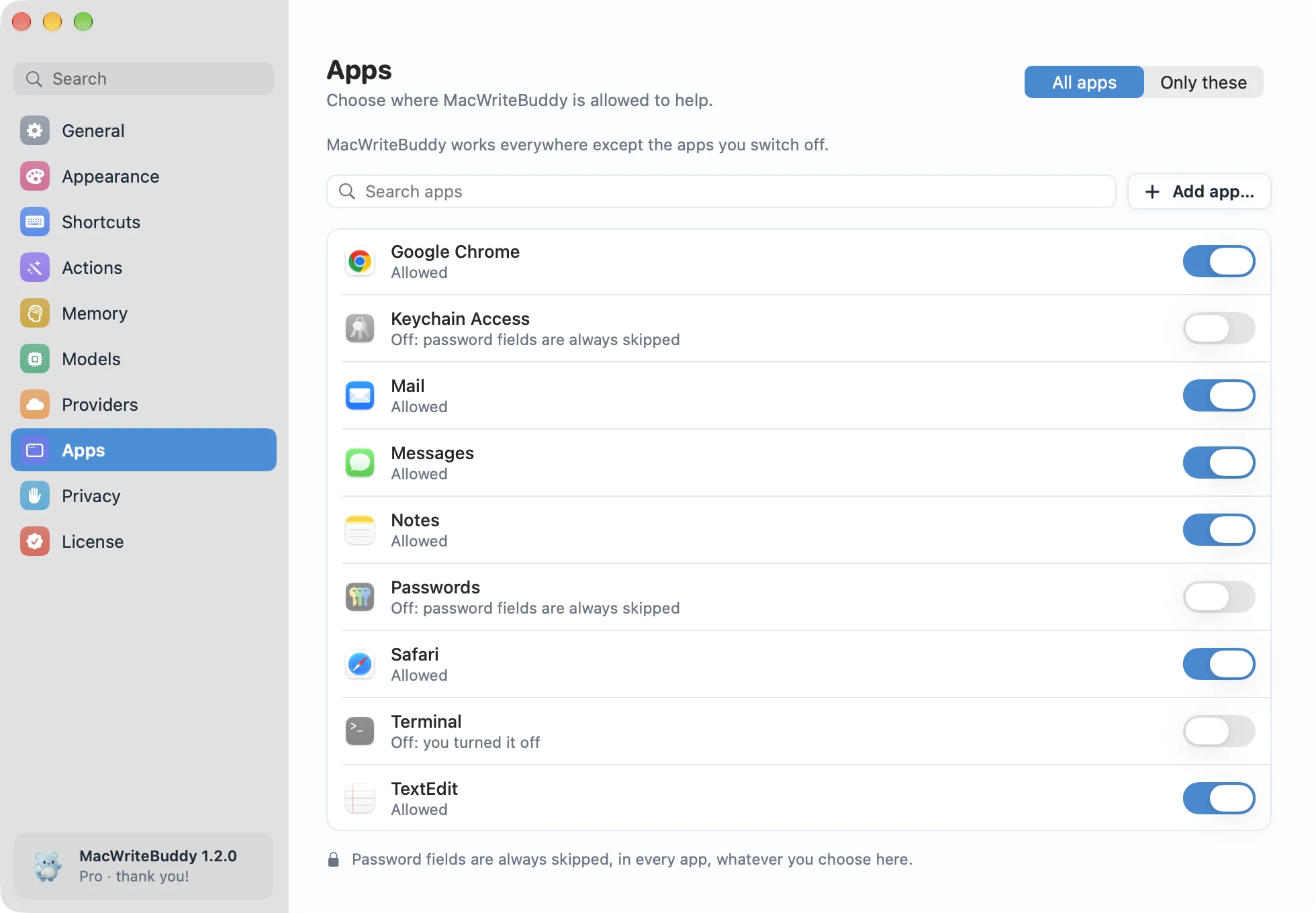
You decide which apps it works in
MacWriteBuddy works in native apps, browsers, and web apps alike. Switch it off for any app, like Terminal or your password manager. Password fields are always skipped, and nothing is read until you press your shortcut.
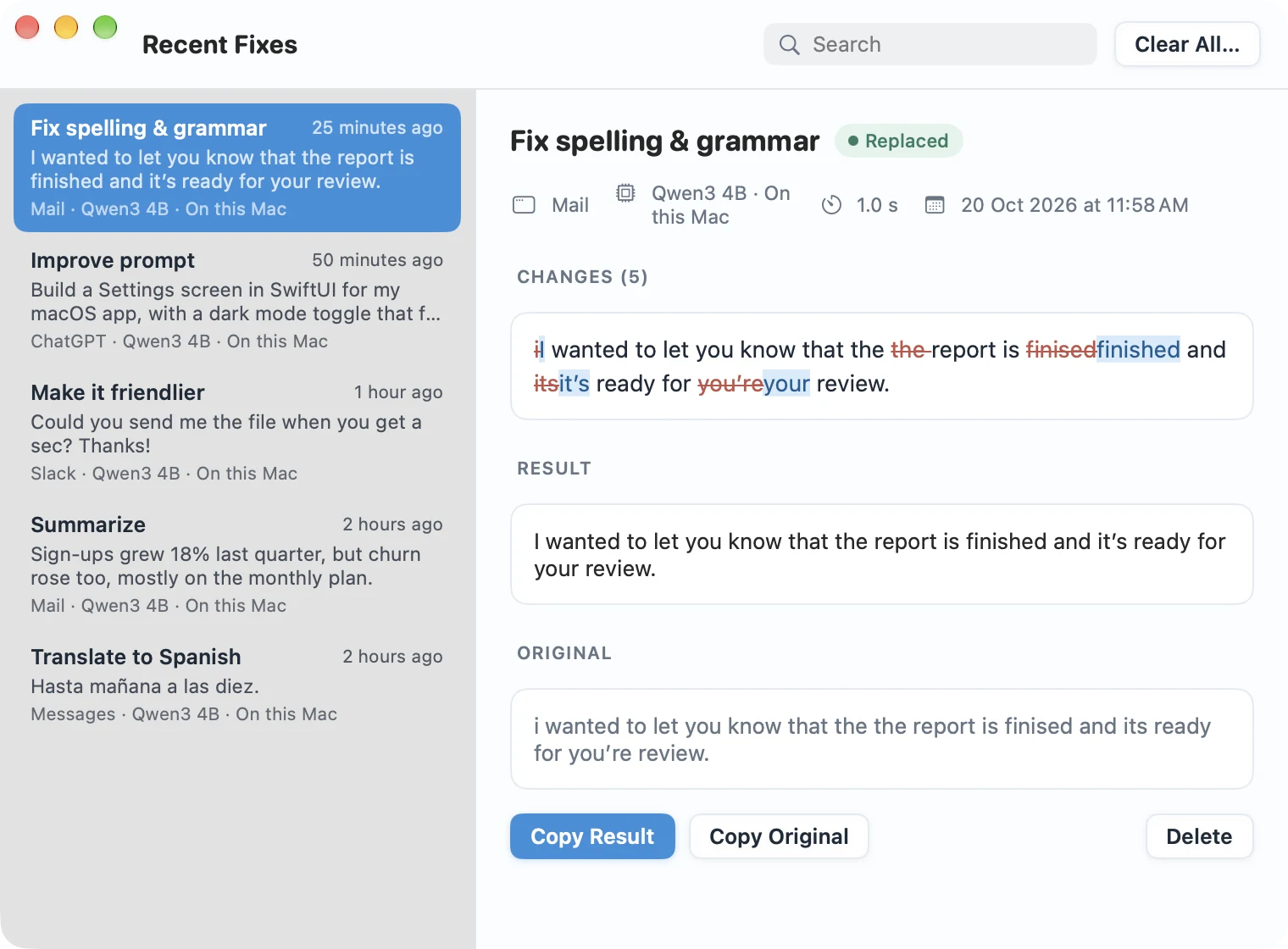
Every fix, right where you left it
Closed a preview too soon? Recent Fixes keeps what changed, with every edit marked, so you can copy the result or your original words again. Fixes stay on your Mac for 7 days by default and are never synced.
Free, with the model you choose
Spelling and grammar fixes are free forever, in every app. Run a small model right on your Mac, use Apple Intelligence on macOS 26 or later, connect your own Ollama or LM Studio server, or paste a key from your favorite AI provider.
Does MacWriteBuddy underline mistakes as I type?
No. MacWriteBuddy works when you ask: select some text and press ⌃⌥G, and it fixes the selection in place. It never watches what you type in the background, which is also why it can work in any app.
Is MacWriteBuddy free?
Fixing spelling and grammar is free, forever, in every app. MacWriteBuddy Pro unlocks everything else (clearer, shorter, friendlier, formal, translate, bullet points, Summarize, Improve prompt, your own actions, and memory) for a single payment of $39, down from $79 at launch. No subscription and no account. Local models are free to run; if you choose a cloud provider, it bills your own API key at its usual rates, and we never add a markup or see the bill.
Does it work in every app?
It works in any app where you can select text: Mail, Slack, Notes, Messages, Pages, browsers, and code editors. Select some text, press ⌃⌥G, and the fixed version replaces it. You can switch it off for any app you like.
Does MacWriteBuddy read everything I type?
No. It only reads the text you select, and only when you press your shortcut. It never logs your keystrokes and never watches what you type in the background.
Why does it ask for Accessibility access?
macOS needs your permission before any app can read the text you select and put the fixed version back. MacWriteBuddy asks once, during setup, and only uses that access when you press a shortcut.
Fewer typos.
A lot more you.
Write freely. Your buddy will tidy up when you press the keys.
Download for MacVersion 1.2.2macOS 14 Sonoma or laterApple silicon & IntelHow to install