Your favorite AI model, in every Mac app.
Prefer the cloud? Paste a key from OpenAI, Anthropic, Google Gemini, xAI, DeepSeek, Mistral, or one of ten more providers, pick a model, and press your shortcut in any app. Your text goes straight from your Mac to your provider, never through us.
Version 1.2.2macOS 14 Sonoma or laterApple silicon & IntelHow to install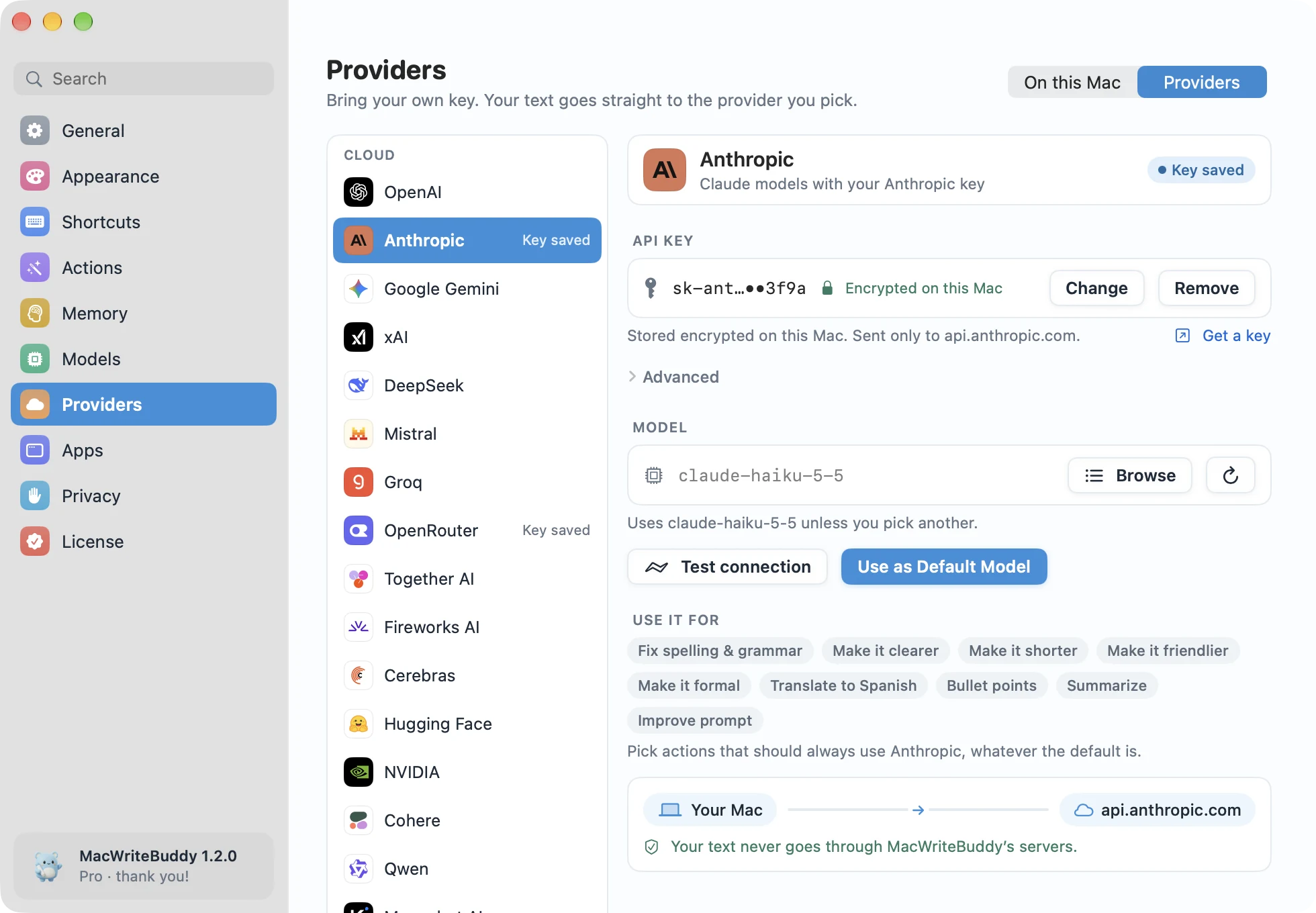
Highlights
- Your keys stay encrypted on your Mac
- Text goes straight from your Mac to your provider, never through us
- 18 providers built in, plus any OpenAI-compatible endpoint
- Use a different model for each action
18 providers, plus any OpenAI-compatible API
Built in, with a place to paste your key:
- OpenAI, Anthropic, and Google Gemini
- Groq, Mistral, OpenRouter, xAI, and DeepSeek
- Together AI, Fireworks AI, Cerebras, and Hugging Face
- NVIDIA, Cohere, Qwen (Alibaba Cloud), and Moonshot AI (Kimi)
- Ollama and LM Studio, on your own hardware
- Any other OpenAI-compatible endpoint, at the address you enter
Your key stays on your Mac
Paste your API key once. It’s stored encrypted on your Mac, and requests go straight from your Mac to your provider. We never add a markup or see the bill.
A different model for every action
Use a quick model for everyday fixes and a bigger one for Improve prompt or Summarize. Every action can have its own model, its own shortcut, and its own instructions.
Same shortcut, any model
Switching providers doesn’t change how you work: select text, press ⌃⌥G, and check the preview. See which model is ready, or switch it, from the menu bar in one click.
Only the memories that fit
With Memory (part of Pro), only the few memories that match your text go along with it, straight to your provider with your key. MacWriteBuddy’s servers never receive your memory or your writing.
Do I pay MacWriteBuddy for AI usage?
No. Cloud providers bill your own API key at their usual rates, and we never add a markup or see the bill. Models on your Mac cost nothing to run.
Which AI providers does it support?
OpenAI, Anthropic, Google Gemini, Groq, Mistral, OpenRouter, xAI, DeepSeek, Together AI, Fireworks AI, Cerebras, Hugging Face, NVIDIA, Cohere, Qwen (Alibaba Cloud), and Moonshot AI (Kimi), plus Ollama, LM Studio, and any OpenAI-compatible endpoint. Paste your API key once; it is stored encrypted on your Mac.
Does my memory get sent to my AI provider?
Only the few memories that fit. Before each request, MacWriteBuddy searches your memory on your Mac and picks the ones that match your text and the app you’re in, plus your style preferences and anything you’ve pinned. With a cloud provider, just those go along with your text, straight to your provider with your key. With a local model, nothing leaves your Mac. MacWriteBuddy’s servers never receive your memory or your writing.
Is MacWriteBuddy free?
Fixing spelling and grammar is free, forever, in every app. MacWriteBuddy Pro unlocks everything else (clearer, shorter, friendlier, formal, translate, bullet points, Summarize, Improve prompt, your own actions, and memory) for a single payment of $39, down from $79 at launch. No subscription and no account. Local models are free to run; if you choose a cloud provider, it bills your own API key at its usual rates, and we never add a markup or see the bill.
Fewer typos.
A lot more you.
Write freely. Your buddy will tidy up when you press the keys.
Download for MacVersion 1.2.2macOS 14 Sonoma or laterApple silicon & IntelHow to install